Loved by iPhone & AirPods owners · 4.3★ · 97 ratings · 4,300+ fixes
From muffled speaker
to clear sound in 60 seconds
Phone took a swim or AirPods went through the wash? WaterDrop plays tested alternating frequencies + vibration that shake trapped water and dust out of the speaker mesh. Free to try — no signup.
✅ Free download🔒 No data collected📱 iOS 15.1+See how it works ↓
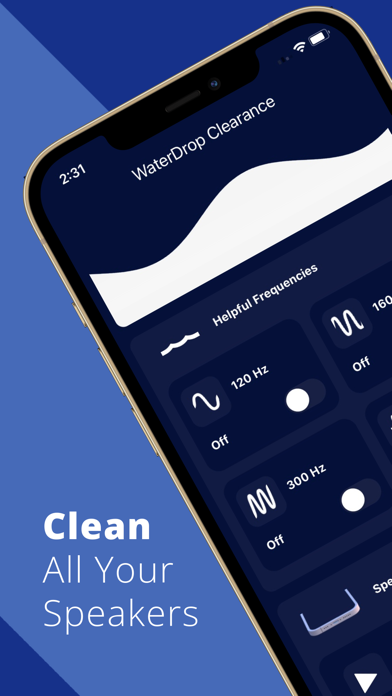
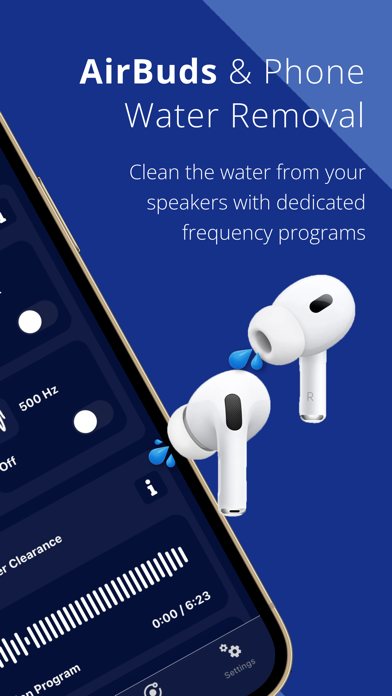
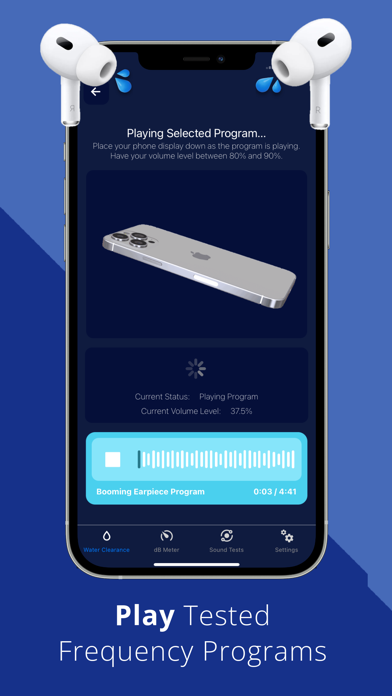
💧 Water Eject for iPhone & AirPods
One tap runs the full eject program. Then prove it worked.
- ✓AirPods + earpiece modes — tuned for tiny drivers, not just the main speaker
- ✓Alternating sweep + vibration — deeper than a flat 165Hz tone
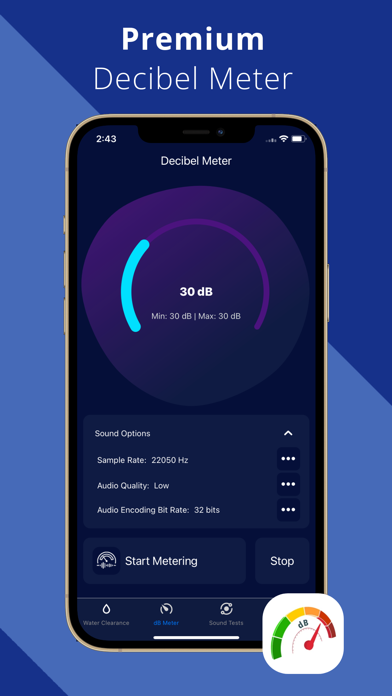
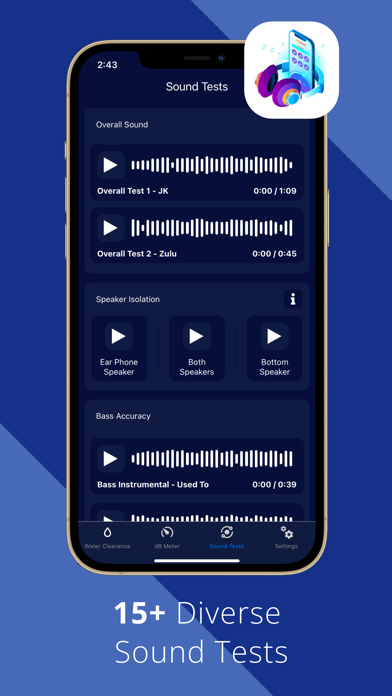
- ✓Free dB meter + 15 tests — hear the before / after difference
Hearing that underwater gurgle? Fix it in the next 60 seconds.
Every hour water sits in the mesh, sound gets duller. Here's all it takes:
- 1Max volume, speaker facing down
- 2Run the free water-eject program
- 3Test sound, repeat 2–3× if needed
Free · In-app purchases · Lifetime $29.99 available
How water eject works
Sound shakes the water out. Physics does the rest.
Low frequencies vibrate the diaphragm and push air through the grille — droplets work loose and fall out.
01
Position it
Disconnect Bluetooth. Volume to 100%. Lay the iPhone speaker-down so gravity helps droplets fall out of the mesh.
02
Run the sweep
Start the free program. Alternating low + high frequencies blast air through the grille — watch droplets creep out.
03
Test & repeat
Play a speaker test + check the dB meter. Still dull? Run 2–3 cycles, then air-dry. For AirPods, use fine-speaker mode.
Why WaterDrop beats the free shortcut
- ✓ AirPods + earpiece modes — the Shortcut only does the main speaker
- ✓ Alternating frequencies + vibration — not one flat 165Hz tone
- ✓ Free dB meter + 15 sound tests — prove the fix, don't guess
Pro tips for best ejection
- 🔊 Max volume — louder = stronger vibration = more water out
- 🎧 Disconnect Bluetooth so sound comes from phone speakers
- 🧻 Wipe + tap phone gently against your hand first, grille down
- 🚫 Skip rice and hair-dryer heat — don't charge while wet
Try a 15-second demo tone right here
Volume up, speaker facing down. This browser demo is one wobbling tone — the app's alternating sweep + vibration hits way harder.
On a laptop right now? Play the full 60-second free 165Hz + 300Hz eject tones in your browser or run the free left/right speaker test →
Inside the app
One tap. Real frequencies. Proof it worked.
Real reviews
Washed AirPods, fixed.
★★★★★ 4.3/5 from 97 App Store ratings
★★★★★“Lifesaver for my AirPods”
“AirPods Pro sat in water for hours. Ran the app ~1hr, dried overnight — good as new. I was so skeptical. ♥️”
★★★★★“Works like a charm!”
“Accidentally washed my AirPods. Squealing every time. Ran water eject for AirPods ONE time — back to normal.”
★★★★★“Saved me $250”
“Washer accident, high-pitched voice. Rice + silica gel failed. Other eject apps failed. This one's AirPods mode worked. Saved $250.”
Fix guides
Find your exact problem. Fix it now.
🔥 Most popular fix
How to Get Water Out of AirPods: Water Eject Fix That Works (2026)
Water in your AirPods? Squeaky, muffled, or one side quiet after rain, sweat, or a full wash cycle? The exact water-eject routine owners used to save $250 replacements — Pro, 3rd/4th gen & Max.
Read guide · 9 min →
Can AirPods Survive the Washing Machine? Honest Odds + Rescue Plan
Just washed your AirPods? Don't panic — many survive. Realistic survival odds by model, the dryer mistake that kills them, and the rescue plan that saved $250 AirPods Pro.
Read guide · 6 min →
One AirPod Quieter Than the Other After Water? Fix It
Left AirPod whisper-quiet after getting wet while the right is fine? Why water hits one bud harder, how to check balance vs. blockage, and the per-bud eject routine that evens them out.
Read guide · 5 min →
AirPods Crackling or Static After Getting Wet? Causes + Fix
AirPods crackling, popping, or static after water exposure? What that distortion means for the driver and ANC mics, settings to calm it down, and the drying + eject fix.
Read guide · 6 min →
How to Get Water Out of iPhone Speaker (60-Second Fix)
iPhone speaker muffled after water? Skip the rice. Do this 60-second water eject routine with max volume, speaker-down position, and WaterDrop frequencies to push droplets out.
Read guide · 6 min →
Dropped iPhone in Water? Fix Muffled Speaker Fast
Dropped your iPhone in the pool, sink, or toilet and the speaker sounds underwater? Emergency checklist: what to do in the first 5 minutes plus the water-eject cycle that restores clarity.
Read guide · 6 min →
Water Eject Shortcut vs. WaterDrop App: Which Actually Works?
Siri Water Eject shortcut not working or sounds weak? Comparison of the free 165Hz shortcut vs. the WaterDrop app — AirPods mode, alternating frequencies, meter + tests.
Read guide · 5 min →
How to Clean iPhone Speaker Dust & Lint (Fix Low Volume)
iPhone volume low but no water? It's usually dust and pocket lint. Safe dust-cleaning routine with sound vibration — no toothpicks, no compressed air damage.
Read guide · 5 min →
iPhone Earpiece Low Volume During Calls? Fix It
Can't hear calls unless on speaker? The earpiece mesh clogs fast. Diagnose in 30 seconds and run the WaterDrop earpiece program + sound tests to restore call clarity.
Read guide · 5 min →
Decibel Meter & Speaker Test: Prove Your Speaker Is Fixed
How to use a decibel meter and 15+ sound tests to check before/after speaker cleaning — verify the water eject worked instead of guessing.
Read guide · 5 min →
Water Eject Not Working? 9 Fixes That Actually Work (2026)
Water eject shortcut, Siri, or app doing nothing? The 9 real reasons it fails — Bluetooth hijack, volume, silent mode — and how to fix each in order.
Read guide · 7 min →
iPhone Liquid Detected? What to Do + How Long to Dry (2026)
iPhone says liquid detected in the Lightning or USB-C port? Exact drying timetable, emergency override risks, wireless charging path, and the dry-but-still-alert fix.
Read guide · 7 min →
FAQ
Water eject questions, answered.
How do I get water out of my iPhone speaker fast?▾
Turn volume to max, place the iPhone speaker-side down, and run a low-frequency water-eject tone for 60 seconds. Repeat 2–3 times, then let it air-dry. WaterDrop automates this with alternating frequencies plus vibration.
Learn more →I washed my AirPods — can an app really fix them?▾
Yes, if there's no board-level damage. Users report fixing washed AirPods Pro by running the AirPods water-eject program, then drying outside the case overnight. The key is the fine-speaker frequency, not the standard iPhone tone.
Learn more →Can AirPods survive the washing machine?▾
Surprisingly often, yes — if you skip the dryer and act fast. Shake them out, dry the contacts, run an AirPods water-eject program, then dry overnight outside the case. Heat from a dryer is what usually kills them, not the wash itself.
Learn more →Why is one AirPod quieter than the other after water?▾
Water rarely hits both buds evenly — one mesh stays wetter and sounds muffled. Check Settings > Accessibility > Audio Balance first, then run a per-bud water-eject cycle on the quiet side and compare with a left/right sound test.
Learn more →Why does my iPhone speaker sound muffled after water?▾
Water clings to the speaker mesh and weighs down the diaphragm, so highs vanish and everything sounds underwater. Ejection tones shake droplets out of the mesh — muffled sound usually clears within a few cycles.
Learn more →Is the Siri Water Eject shortcut enough?▾
The free shortcut plays a single ~165Hz tone and helps for light splashes. For AirPods, earpiece, heavy exposure, or dust, a dedicated app with alternating frequencies, intensity levels, and before/after tests works far better.
Learn more →How do I clean dust out of my iPhone speaker safely?▾
Never jam in toothpicks or blast compressed air. Use sound-vibration cleaning at max volume with the grille facing down, then wipe with a soft brush. Run a speaker test after to confirm volume is back.
Learn more →Why is my iPhone earpiece so quiet on calls?▾
The earpiece slit traps skin oils, makeup, and lint. Run an earpiece-specific frequency, test with a voice-range tone, and check Call Audio Routing. If speakerphone is loud but earpiece isn't, it's a clogged mesh — not a dead speaker.
Learn more →How do I test if my speaker is actually fixed?▾
Play the same test tone before and after cleaning at identical volume, and check the decibel meter reading from 30cm away. WaterDrop includes 15+ sound tests plus a free dB meter so you can prove improvement instead of guessing.
Learn more →Will water eject damage my speakers?▾
No — ejection tones stay within normal operating range and run for short bursts. It's far safer than rice dust, heat from a hair dryer, or poking the mesh. Stop if you hear rattling from a loose case or screen protector.
Learn more →
Speaker sounds underwater? Eject it now.
A free water-eject run, AirPods + earpiece modes, dust cleaning, and a dB meter with 15+ tests to prove it worked. No data collected, ever.
Free download · iPhone & iPad · iOS 15.1+ · 4.3★ (97 ratings)